
Prepare each column
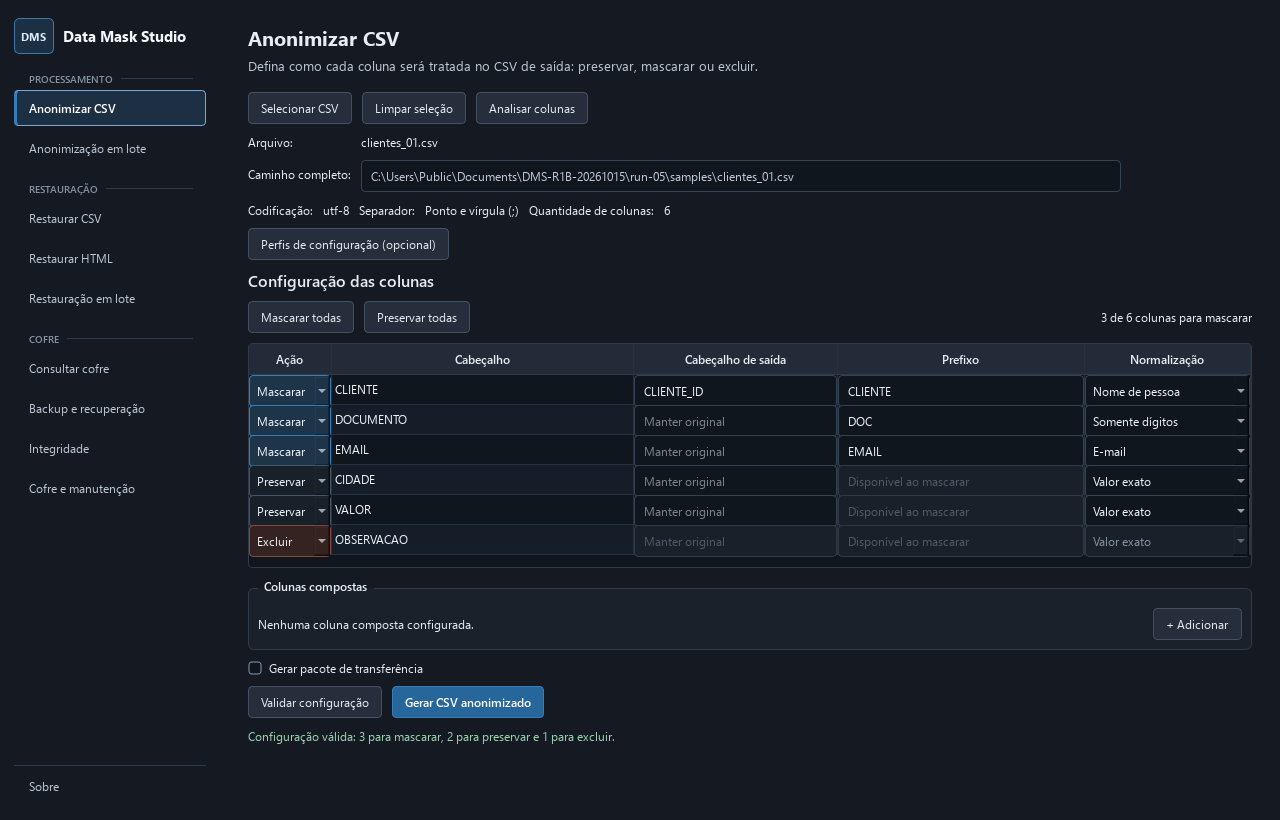
Preserve, mask or exclude columns. Configure normalization, output headers and composite columns before generating the CSV.
Open source · Windows · Local-first
Local, open-source data preparation and masking for Windows.
Prepare useful datasets without sending sensitive content away. Keep analytical correlations and choose what to preserve, mask or exclude.
What is DMS?
Data Mask Studio is a local-first Windows desktop application for data preparation and anonymization. Deterministic data masking keeps repeated values correlated during analysis, with controlled restoration of CSV data and codes in local HTML.
Restoration is controlled through recovery mappings, not through an individually reversible token. Use the local vault or a selective encrypted package paired with its matching CSV.
Main features
Prepare, mask, restore and verify datasets without sending their contents to an external service.
Preserve, mask or exclude columns. Configure normalization, output headers and composite columns before generating the CSV.
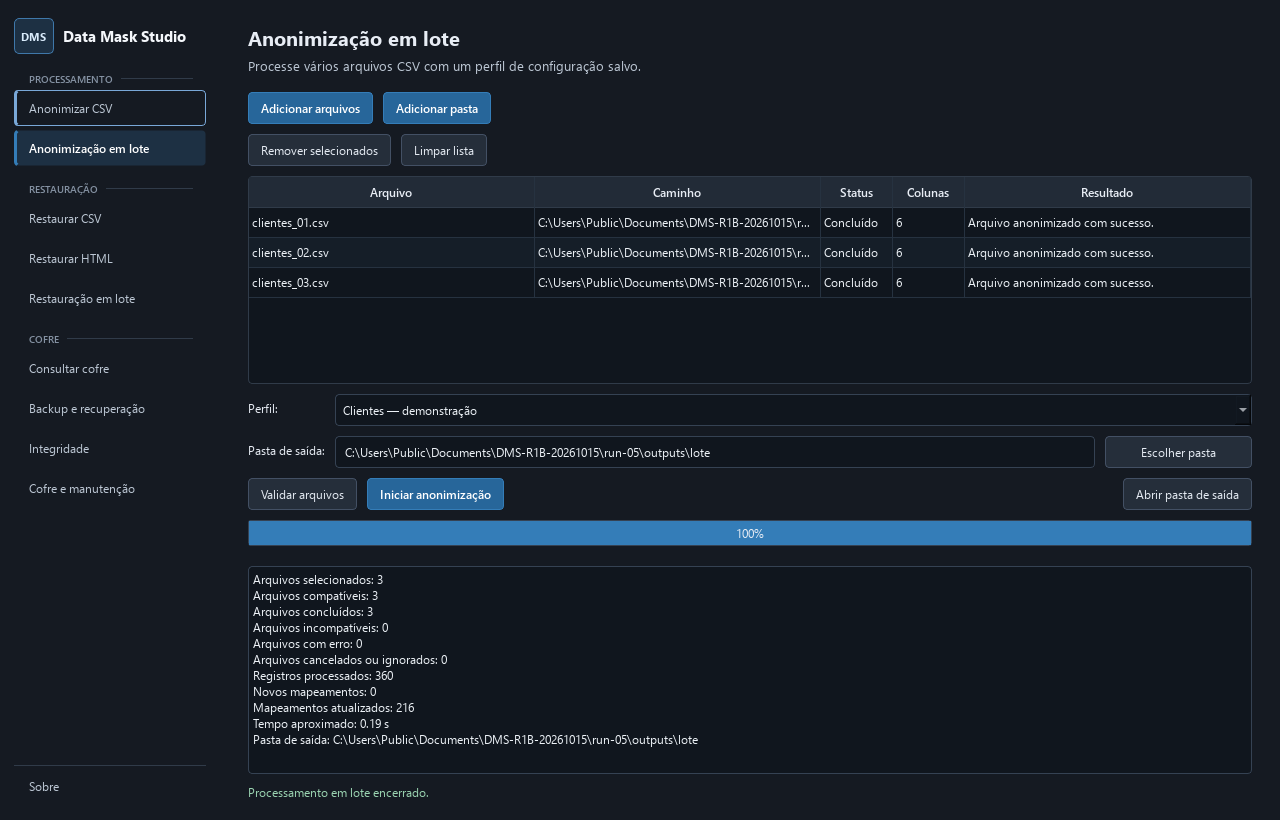
Process one CSV or reuse saved profiles across a batch. Deterministic masking preserves correlations for repeated values.
DMS 1.3.0 supports password-protected .dmspackage files containing only the restoration mappings for their linked CSV.
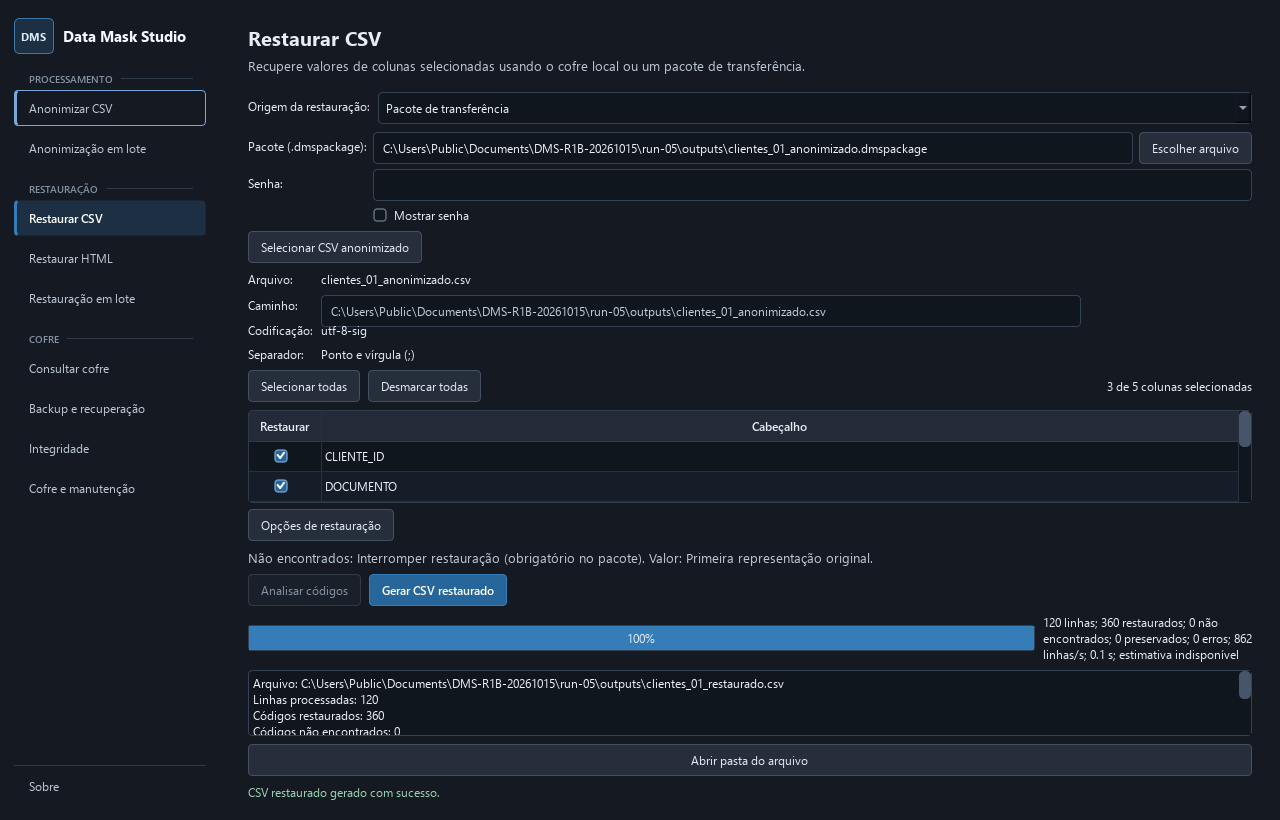
Restore selected CSV columns or known codes in local HTML. Package-based restoration covers individual CSVs.
Password-protected .dmsbackup files carry the vault, keys and saved profiles for environment recovery.
Inspect the vault, run integrity checks and diagnostics, and manage temporary files and compaction locally.
Three different recovery needs
Choose the recovery source deliberately. These files serve different purposes and are not interchangeable.
Local restoration
Restore using the corresponding local vault and its original Windows DPAPI-protected keys. CSV and HTML workflows stay local.
Selective transfer · DMS 1.3.0
.dmspackageThe recipient needs the unchanged matching masked CSV, its package, the password and a DMS version supporting the package format. No sender vault or DPAPI keys are needed.
Individual CSVs only. Missing mappings stop restoration; there is no fallback to the local vault.
Environment recovery
.dmsbackupRecover the vault, keys and saved profiles using the backup password. This replaces the local environment; it is not selective CSV restoration and does not include CSV or HTML files.
Packages and backups contain sensitive recovery data. Keep their passwords separate. See the compatibility and recovery guide for prerequisites and limits.
Inside the application
DMS 1.3.0 screens in Portuguese, captured with isolated synthetic data. Open any screenshot for readable, full-resolution detail.
Three synthetic CSVs processed successfully, with per-file outcomes and a final summary.
The real package workflow restored 120 synthetic rows. The password field is cleared after processing.
How it works
The same effective value, prefix and cryptographic environment produce consistent identifiers across records and files. Restore through the corresponding local vault or a selective package bound to the exact masked CSV.
Security & privacy
DMS provides deterministic data masking with controlled restoration through an encrypted local vault. It does not claim that individual tokens are reversible or guarantee irreversible anonymization.
Tokens derive from keyed cryptographic authentication, incorporating the configured prefix and original value.
Protects original values in the vault. Packages and backups use separate password-derived encryption keys.
Local keys are protected for the Windows user. Processing stays local, with no telemetry or automatic sensitive-data sync.
No telemetry or automatic file uploads. DMS targets Windows and does not guarantee absolute security. Distributions are not digitally signed yet.
Open source
SPDX: GPL-3.0-only. Third-party components remain under their respective licenses.
Author